


News

Share
Published 13:31 25 Sept 2024 BST
Updated 13:32 25 Sept 2024 BST

The rise of AI across the internet has understandably led to an increased concern in recent years.
Meta, who owns Instagram, Facebook and WhatsApp are yet another tech giant who are exploring how user content can help them train AI.
Content used to aid their AI scheme include 'publicly shared posts from Instagram and Facebook – including photos and text,' however not with private posts or private messages.
The company has stressed they are 'using people's data responsibly,' but users do have to choose to opt out of the scheme.
Some users are understandably miffed about this, but one of the latest viral posts speaking out against this isn't what it may seem.
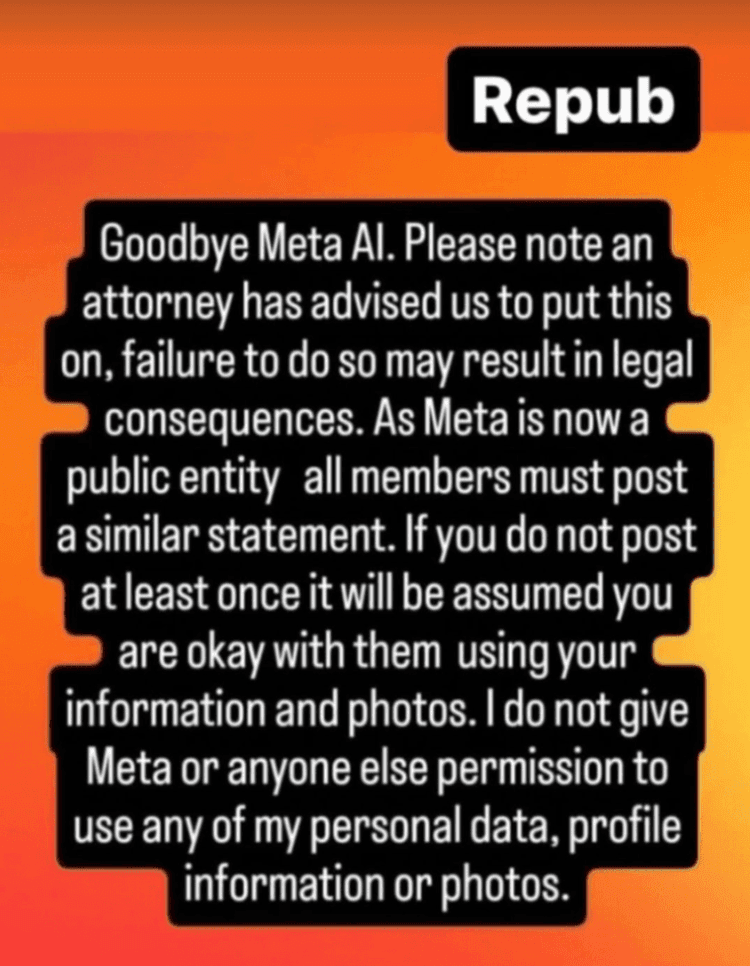
If you have checked Instagram Stories in recent days, you may have noticed celebrities and acquaintances sharing a post beginning with the words 'Goodbye Meta AI'.
"Please note an attorney has advised us to put this on, failure to do so may result in legal consequences," the post continues.
"As Meta is now a public entity all members must post a similar statement.
"If you do not post at least once it will be assumed you are okay with them using your information and photos.
"I do not give Meta or anyone else permission to use any of my personal data, profile information or photos."
The post has been shared by some huge names, including James McAvoy, Jessica Chastain and Sarah Paulson.
However, the post is now being flagged as false information by Instagram. This means that people will have to click 'see post' in order to read the message, rather than it it automatically coming up unblurred.
"Third-party fact-checkers said the same information was false in another post. While the posts are similar, there may be small differences," Instagram's warning reads.
It takes more than just sharing a post on your story, but it's not that tricky.
To opt out of Meta's AI training, you can go to the Meta Privacy Center via Facebook.
Click on 'data settings', and then ‘off-Facebook activity’. Then go to ‘manage your data’, where you can turn off ‘data sharing’ and ‘AI model training’.
To do this via Instagram, visit 'settings', then go to 'about'. You can turn off the setting under 'privacy policy.'
Explore more on these topics:


News

News

News

News
Why Google wants to release 32,000,000 infected mosquitoes into the wild
It’s not quite as crazy as it sounds Google wants to release 32,000,000 disease-infected mosquitoes into the wild. Yes, you heard that right, and while this may sound like the evil masterplan of a crazed villain, the project is actually one of goodwill for the betterment of humanity. For thousands of years, humans have been […]
News
9h
All the reviews for Clarkson’s Farm Series 5 as audience favourite returns
It seems people are divided The new season of Clarkson’s Farm focuses on Jeremy Clarkson’s efforts to modernise Diddly Squat Farm, as he deals with major farming challenges, a changing political landscape, and the growing demands of running his new pub. Season 5 of the documentary reality series begins after a health scare forces Jeremy […]
News
9h
Amazon confirms exact dates for four-day Prime Day event
News


